How to sync Google Analytics 4 and Google Search Console
We will assume that we have already completed the steps of configuring and adding the property in Google Search Console and configuring and adding the property in Google Analytics.
Then, to sync Google Analytics and Google Search Console we will follow the following steps in Analytics:
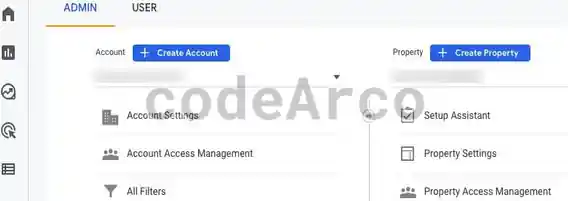
- Click on the lower left gear, “Admin” section.
- Verify that we have the correct account and property selected.

Google Analytics 4 account and property - Within the property configuration, we will go to “Product links”, “Search Console links”.

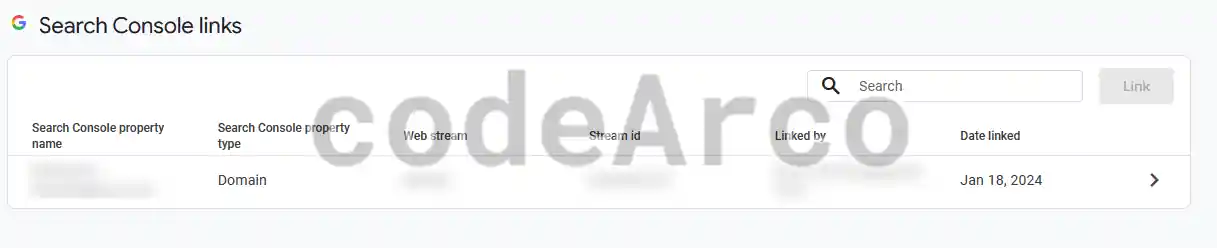
Search Console Links - Click on the “Link” button.
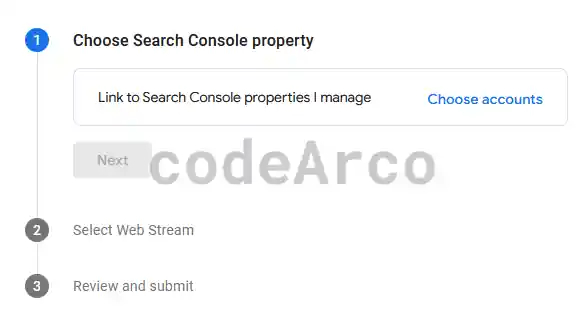
- Choose the appropriate Console property. Remember that the property can be a domain or URL prefix and that we must be owners of it.

Choose Google Search Console property - Select the appropriate data stream.
- Finally we review the data and send the form.

Verify that Google Analytics 4 and Google Search Console are connected
To verify that the sync between Google Analytics and Google Search Console is correct, we have several options:
- In the section where we added the link previously, within the corresponding property, now the link button will be disabled and we will have a line with information about the sync, if we click on it we can see more information such as, for example, who made the sync or the name of the linked Analytics web stream.

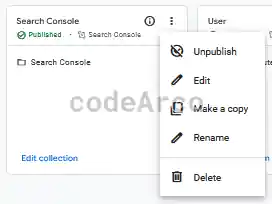
Successful sync with Search Console - Enable Search Console collection in Google Analytics 4, by default it is disabled. A collection in Analytics is a set of reports related by some parameter. If we want to activate it, we will go to Reports, Library, look for the collection and click on the three dots at the top right and publish it:

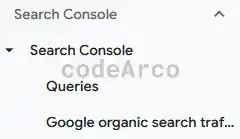
Publish Search Console collection in Analytics - Once the collection is published we can access the corresponding reports in the side menu.
Obviously, if the sync is correct, over time these reports will present data.

Google Search Console reports in Google Analytics
Why sync Google Analytics 4 and Google Search Console
The reason we want to link and sync both accounts is to have some of the Search Console reports in Analytics 4. These reports are as follows:
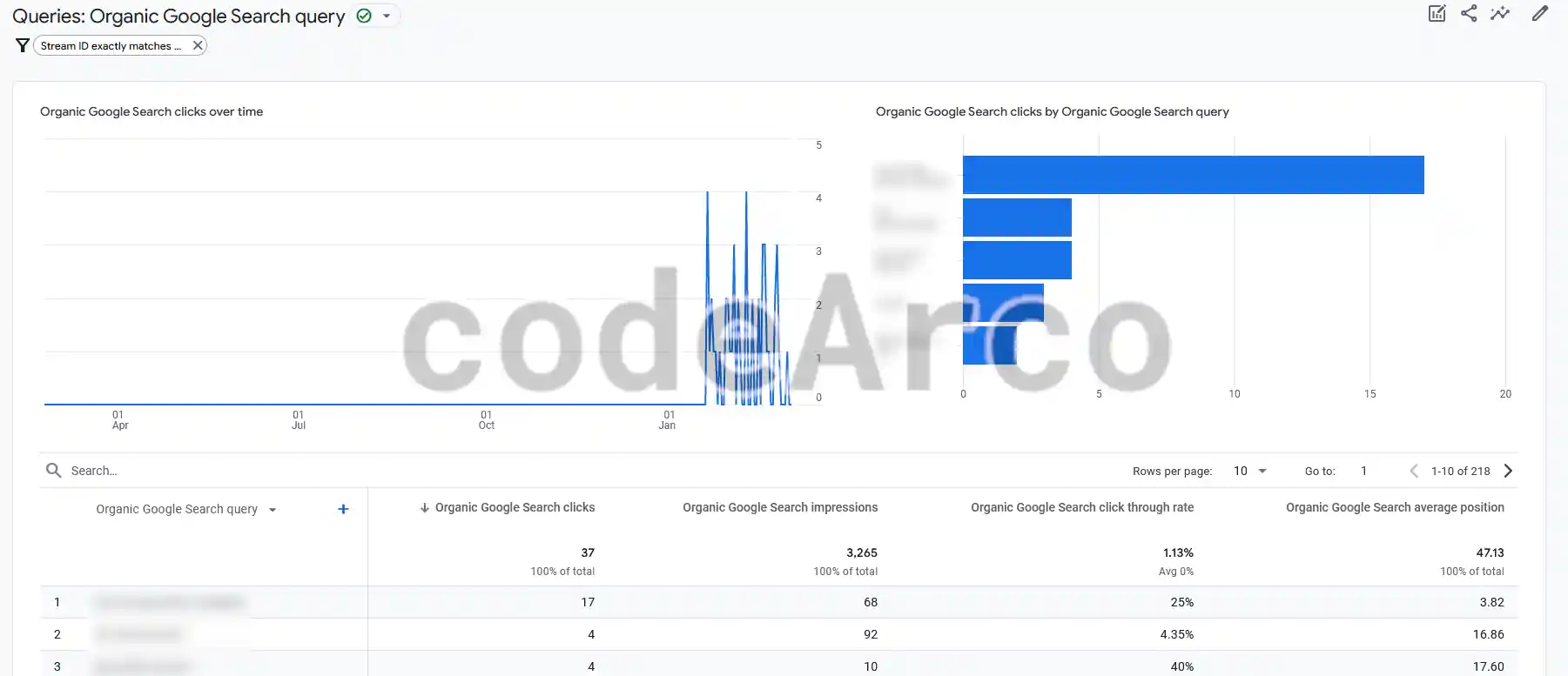
- Organic Google Search query. Organic search results are those that appear in search engines when searching using keywords.
In this section we have both two graphs and a table with statistics organized by keywords used by the user who has visited our website. This information is very useful if we want to know the user’s search habits and obtain keywords.
Some of the statistics that we can find are the number of impressions in Google results, the number of clicks that the user has made on one of our posts using the keyword that appears, percentage of clicks whose formula is ·number of clicks / total impressions and the average position we have in the search engine given the corresponding organic query.

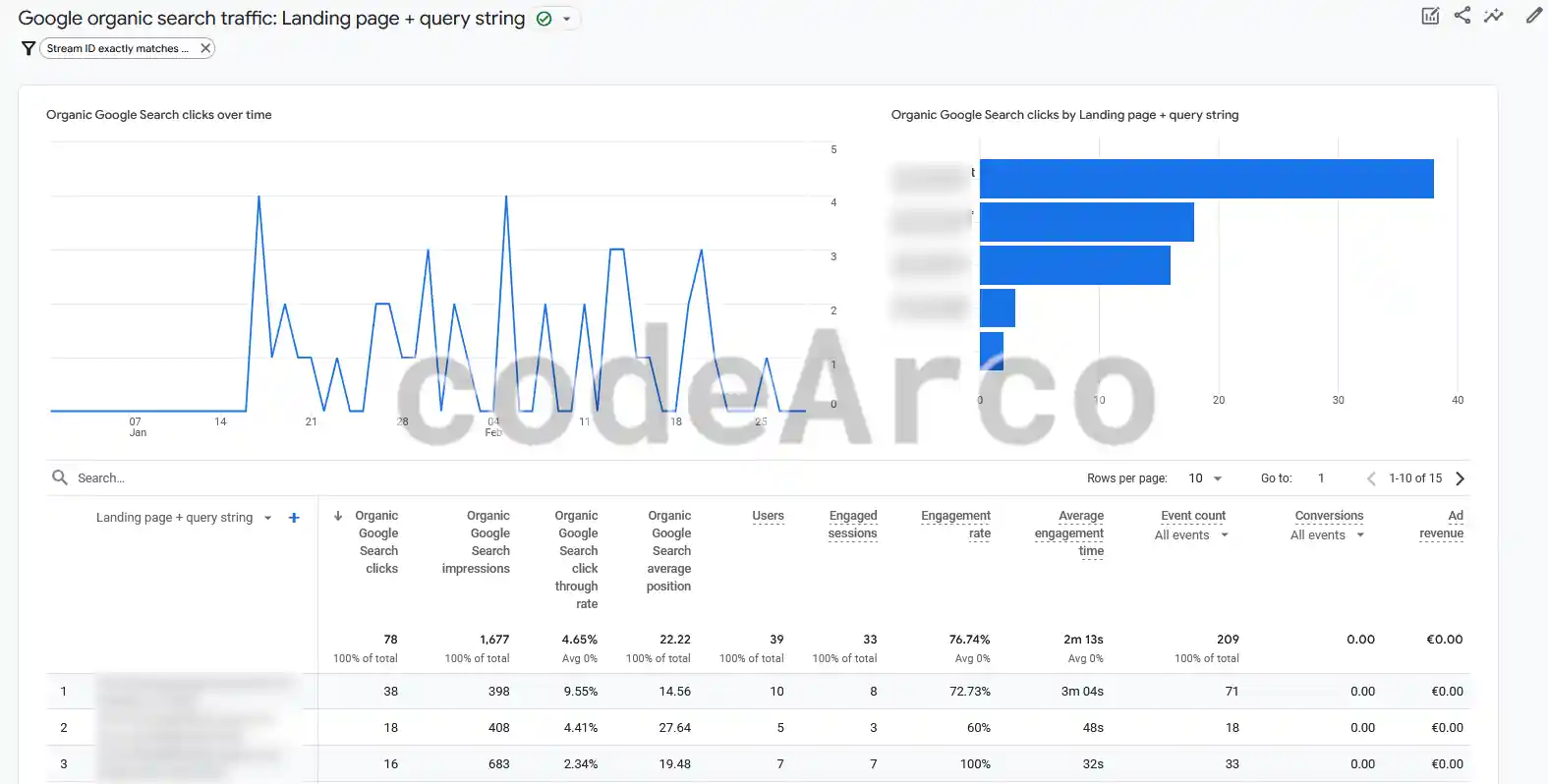
Organic queries in Google Analytics 4 - Google organic search traffic. This report is identical to the previous one with the difference that the data, instead of being grouped by the user’s keywords when searching, are grouped by the destination web page or url.

Organic search traffic in Google Analytics 4