
What is robots.txt file
The robots.txt file is a file on our website that follows the robots exclusion standard and contains instructions for the robots or spiders that tells them which parts we allow to be indexed automatically and which ones we do not allow. It is written in plain text format with a .txt extension.
These files are located at the root of the web page and, therefore, if we access any page and add “/robots.txt” to the url we should be able to access said file.
It is important to understand how the robots.txt file works, it behaves like a blacklist, that is, what is not explicitly prohibited is allowed and, therefore, will be indexed by robots. For example:
- If the file does not exist, robots will be able to index any content on the site.
- If the file exists and, for example, we prohibit indexing of a specific folder, robots will be able to index any content on the site that is not in that folder.
It is not strictly necessary nor will it improve your SEO drastically, although it is highly recommended to have it. Most content managers such as Blogger or WordPress generate them automatically and facilitate, through the interface options, their creation and/or modification.
Examples of robots.txt files
Let’s look at two examples of the robots.txt file:
User-agent: *
Disallow:/- The “User-agent” line indicates for which robot we are prohibiting or allowing content indexing.
- The asterisk “*” means “All”, in this case “All robots”.
- The line “Disallow: /” indicates that we prohibit indexing of the entire website since a single “/” indicates the root directory of the website.
Therefore, in this example, what is being prohibited is the crawling of the entire website for all existing robots or spiders.
Let’s look at another example of a more complex robots file:
User-agent: psbot
Disallow: /cgi-bin/
In this example, crawling of the “/cgi-bin” folder is being prohibited only for the robot or spider called “psbot”.
Finally, let’s look at the Stack Overflow robots example:
User-Agent: *
Disallow: /posts/
Disallow: /posts?
Disallow: /questions/ask/
Disallow: /questions/ask?
...
Disallow:/
User-agent: 008
…
Sitemap: https://stackoverflow.com/sitemap.xml
The first lines are prohibiting, for any agent or web spider, the crawling of everything in the post and questions folder. Next we find the restriction of crawling the entire site for the agent “008”. Finally, as we will see later, at the end of the robots file we find the line that indicates where the website’s sitemap is located.
To see more examples of robots files you can go to any page you visit regularly and, after the main address, you must write “/robots.txt”.
Remove website from search results
A very important detail to keep in mind is that the robots.txt file does not serve to hide a website in the search results, it only prevents spiders from crawling the site to, for example, not saturate our website with additional traffic. That is, if we have an excluded page in the robots file but another external page has a link to said excluded page, it will appear in the search results sooner or later.
The steps to remove a website from search results are:
- Removing it directly from the website, redoing the sitemap and resubmitting it to search engines is the recommended method due to its simplicity.
- Hide the content behind a login, this way Google will be unable to access your content and, therefore, will not be able to index it.
- Use the noindex meta tag to indicate to search engines that the content cannot be indexed.
Sitemap and robots.txt file
One of the most important parts of the robots.txt file is the sitemap.xml which is generally indicated in the last line with the format “Sitemap: http://myWeb/sitemap.xml”.
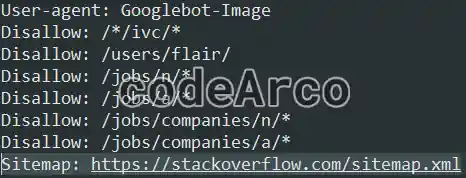
If we remember, a sitemap serves to indicate to search engines, in a summary manner, the content of our website and the modification date of each article among other information. We can say that it is something very similar to the index of a book.
It is not mandatory to have this line in the robots file, although it is highly recommended. Keep in mind that when a Google or Bing spider visits our website, one of the first things it analyzes is the robots file and, therefore, if we tell it where we have the sitemap, we will be making its job easier.
We can even say that it is good for the SEO of our website since, every time one of these web spiders visits us, the content of our website will be updated in the search engines.
Robots.txt and Google Search Console
Unlike the sitemap, it is not necessary to send the robots.txt file to Google, just put the file in the root of our website and, after a reasonable amount of time, the search engine will know of its existence and analyze the content of the file.
However, what we can do is follow the following steps to check the robots.txt file in Google Search Console:
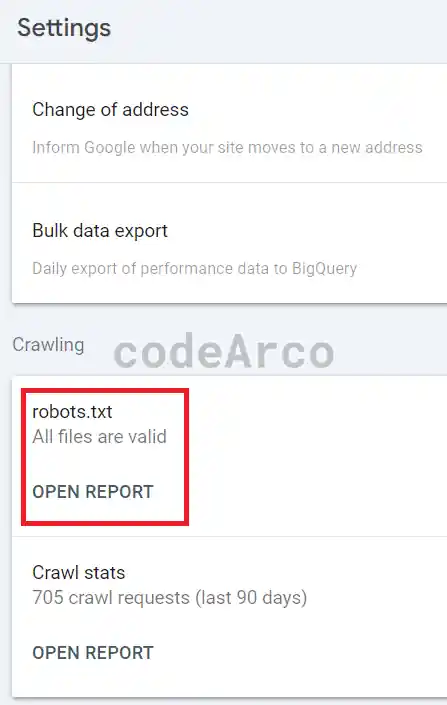
- Access the “Settings” section, “Crawling” section.
- Verify that the message “All files are valid” appears in the robot line.
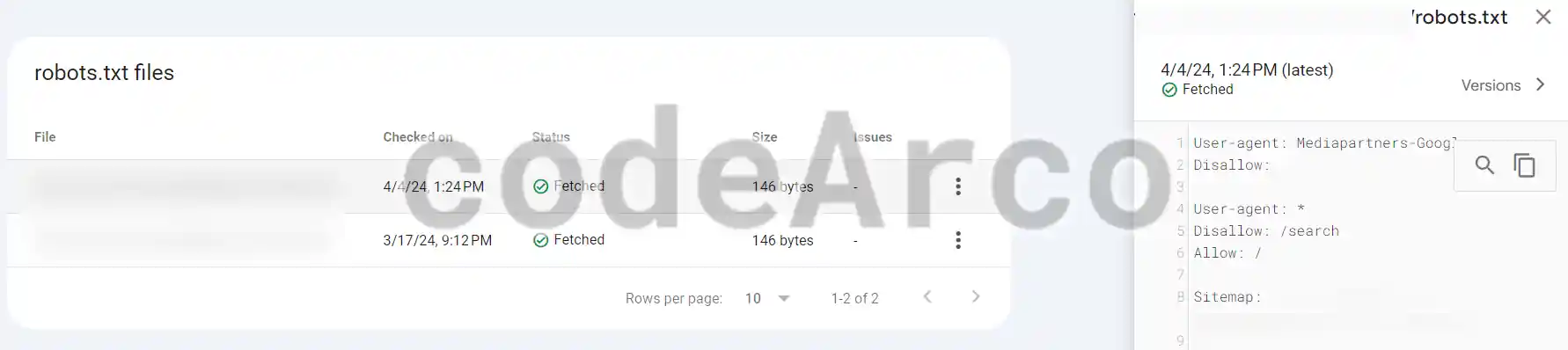
- Click on “Open report”.

Robots txt in Google Search Console - Verify, for each line, that the status is “Fetched” and that there are no incidents.

Check robots txt in Google Search Console
Robots.txt and Bing Webmaster Tools
The case of Bing Webmaster Tools is very similar to Google, it is not necessary to send the robots.txt file to Bing, it is capable of detecting it automatically.
To check the robots.txt file in Bing we will follow the following steps:
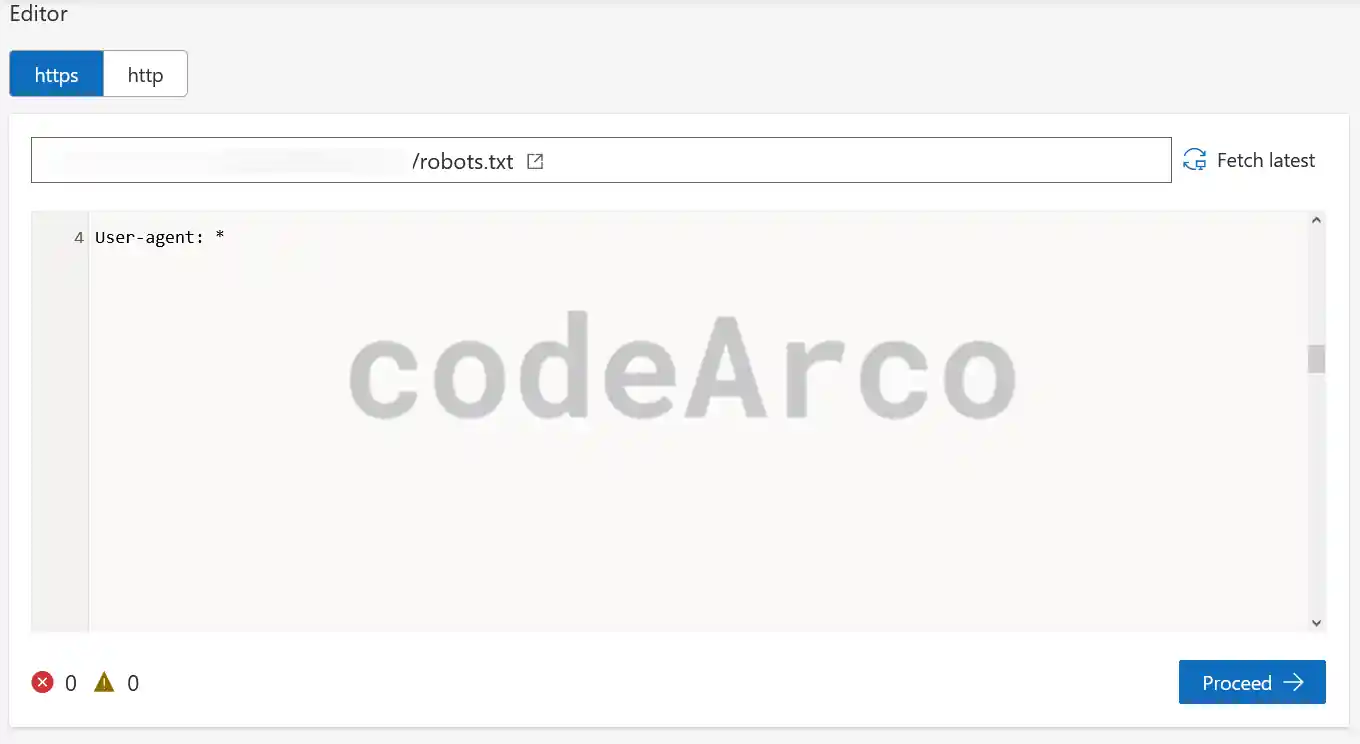
- “Tools and enhancements” section, “Robot.txt tester” section.
- Check that the file has been uploaded correctly in the Bing Code Editor.

Robots txt in Bing Webmaster Tools - Click on “Proceed”.
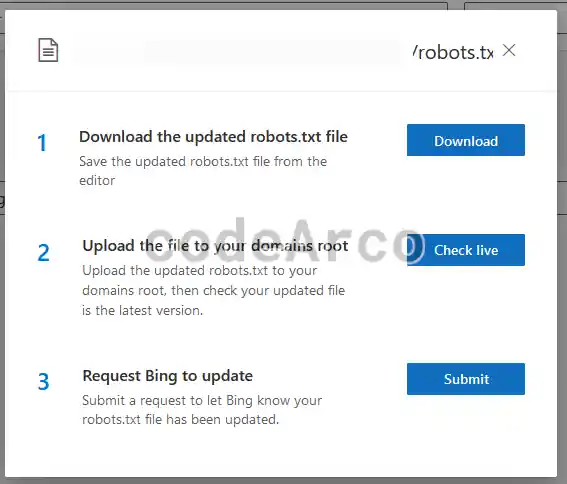
- We select the “Check live” option if we want to test and access the current robots file on our website. A new tab will open with its content.
- Click on “Submit” if what we want is to ask Bing to update the robots.txt file or, in other words, let it know that our file has changed.

Robots txt request update Bing
Additional robots file information
Finally, if you want more information about all the instructions in the robots file, there is a lot of information on the Internet about it, as in the previous link. Some of the most important points of the robots file that appear in said link are:
- How the robots file works. Although we have already discussed it in this article, it doesn’t hurt to have other points of view.
- Frequently asked questions FAQ of the robots archive. It is worth taking a look at this section, it contains interesting information such as books about spiders and web robots.
- List of robots or agents that exist on the Internet.
- Search by ip for the robots that visit your website. With these tools you can verify the IP address of the visitors and verify if it is really real traffic or robots.